So first I’m going to begin with, why a develop an app? Well it started well I was browsing through the ISA website, just collecting more insight on what that business has to offer. I stumbled upon this very interesting concept. The concept of having an online printing service where you can send your documents and decide whether you want to pick up and pay or have it paid and delivered. To me that was the silver lining of the company and it was what separated them from the rest. My only issue was why just keep it to the website? I know a lot of individuals who own a laptop but I know even more who owns a smart phone. Just can you imagine receiving all of your printed material within the click of a button. The amount of time you will be saving on just that alone is extraordinary.
So in the beginning I was scrolling through Pinterest to see different layouts of an app because this was the first time I’ve been working on an app. I scrolled through a lot but what I stuck with in the end was the layout that they used on Whatsapp. Why? because it was very simple and manageable for me. I didn’t want to get hooked onto the fancy layout only to find out that I have no clue how to achieve the desired look. So I used the Whatsapp layout as inspiration.

After deciding to use Whatsapp’s User Interface as a template, I started ideating and sketching wireframes of the ISA app.

Afterwards I also created a hyperlink map to show how one layout is linked to another.
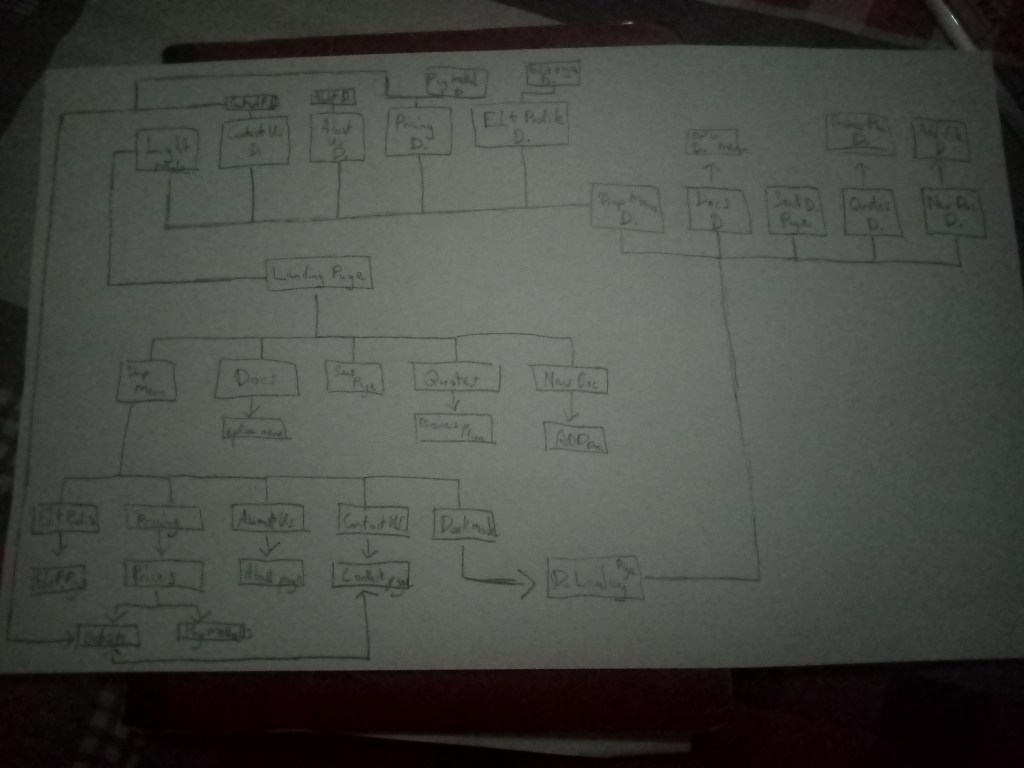
After doing this I opened the Adobe Illustrator software and started created images to use as the User Interface. Before You get confused I will explain it in my next round of texts.

After saving over 32 png files I uploaded them into an app called Marvel. Marvel is where the real magic happens. In marvel you are able to create any prototype apps without the knowledge of any form of coding. How it works is that you upload all the images you intend on using, create some hotspots. (Hotspots in other words are parts of the image that you can turn into hyperlinks which makes your frozen image into to now functional and clickable buttons. This makes your images comes to life as it functions as a developed app.
Link to Marvel: https://marvelapp.com/signin?next=/project/4798632/screen/67645102
Link to my Prototype ISA app: https://marvelapp.com/1122cj1e
References
https://assets.materialup.com/uploads/77a17cdf-9788-462f-8550-b6ac3f4dffc4/preview.png
 Primo & His Screen Based Practices